
Giving Relations Info For Each Friends
Did you know that Facebook has a facility to provide contact info of all your friends with you. For each person can be different from one another, for example, you are with the A where A is the friend that you know when the lecture. The B or your friend at work.
1. select a link friends / friend at the top of the page Facebook
2. then show your friends
3. select the button box to the right friend that you select
4. select the link "how do you know ......?" 
5. then please select the option that there is, for example, can be seen in the picture (click for larger) 
after the steps above and then Facebook will send a confirmation to the person you select, whether you are correct relationship with the people you choose as a friend lecture, co-workers, boyfriend etc..
Translate from www.tips-fb.com > Indonesia to English by translate.google.com
How To Sign Up on Facebook
1. Please Visit www.facebook.com and fill the form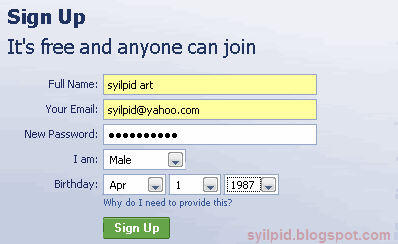
2.Type the image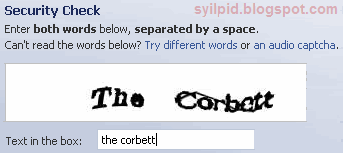
3. Please open your email and click on the link provided from facebook. 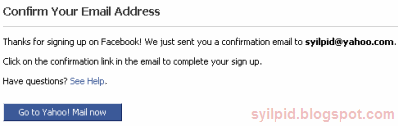
4.Confirmation based on a friend on facebook email list is in your email or Skip this step 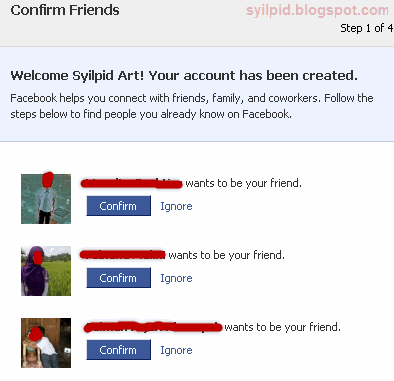
5. If you have another email please inputs, which allows you to find other friend or you can also skip this step 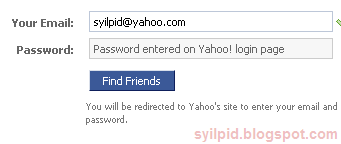
6. Fill with your high school, university and workplace or Skip this step 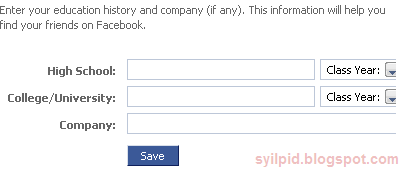
7. Facebook recommends some people and you can add as friend or Skip this step 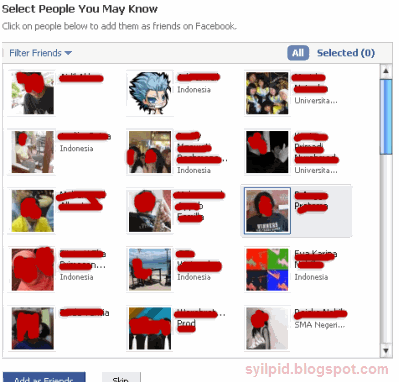
8. Please enter the city where you live 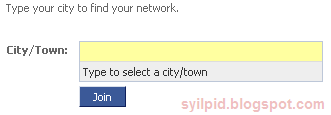
9. Please upload your images
Finish ...........
Congratulations you just have facebook account :)
Menghubungkan Facebook dengan Blog/Website - Simplaris Blogcast
 Ingin artikel blog/website ada di halaman facebook ? Apalagi jika Anda pemilik blog atau web tersebut , dan ingin mempublish artikel agar lebih banyak diketahui teman atau kenalan di Facebook. Caranya mudah dengan menggunakan aplikasi yang bernama "Simplaris Blogcast" di Facebook feed atau artikel terbaru yang ada akan muncul juga pada halaman Facebook sekaligus menjadi nilai tambah untuk mempromosikan blog/website kita
1.Search dengan keyword > simplaris blogcast
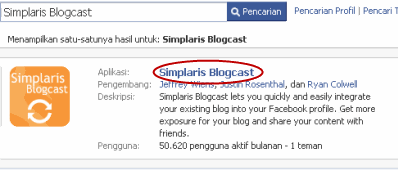
2.Dihalaman tentang Simplaris klik tombol > ke aplikasi

3.Silakan masukan alamat feed blog/website
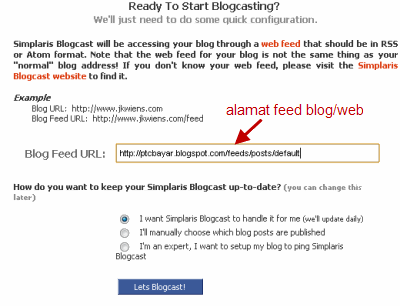
Misalnya untuk blogger:
http://ptcbayar.blogspot.com/feeds/posts/default
(ganti ptcbayar dengan alamat blog Anda)
Sedangkan untuk yang memakai feedburner
http://feeds.feedburner.com/ptcbayar
(ganti ptcbayar dengan alamat yang didaftarkan pada feedburner)
4.Setelah menekan tombol "Lets Blogcast!" akan muncul tampilan tanpa ada isi feed atau artikel, silakan klik link "update"
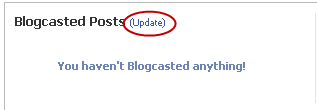
5.Dan akan muncul seperti ini
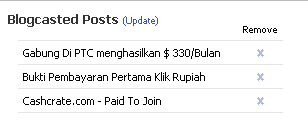
Sedangkan untuk konfigurasi lainnya bisa kita lihat di bagian setting
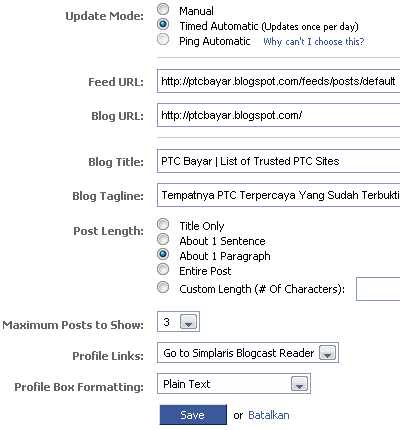
Silakan pilih sesuai keinginan Anda
Untuk menambahkan Simplaris ke halaman Facebook silakan klik kedua tombol "tambahkan ke info" dan "tambahkan ke profil" (pada halaman setting)
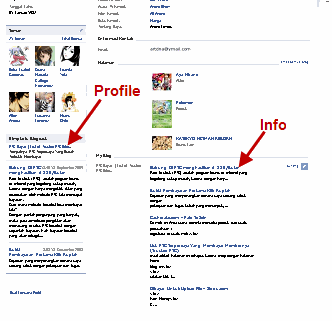
Dan terakhir adalah tampilan dari halaman facebook kita yang sudah diisi dengan artikel terbaru dari blog/website lewat aplikasi "Simplaris Blogcast"
Selamat mencoba :)